Two Easy Ways to Start Earning Rewards!
Become a member today! Members-only pricing and offers, personalized care notifications, Vital Care points back on every purchase and more!
 Become a credit card member today!
Earn 2X Pals Rewards points at Petco
when you use Petco Pay!APPLY NOWLearn More About Petco Pay Benefits
XStream Pet Clearance
Get It Today


Related Articles & Questions
 Care Sheets
Aquatic Pet Owners: Stop Invasive Species, Save Our Waterways
Read about Habitattitude and Petco's commitment to protect our environment. At Petco, animals always come first. Learn how you can help.
Updated on October 23rd, 2025
- Care Sheets
Aquatic Pet Safety: Keep Your Home Aquarium Pets Healthy & Safe
Learn how to safely handle your aquatic life to avoid toxin & bacterial exposure. Find aquatic life care supplies at your neighborhood Petco pet care center.
Updated on October 23rd, 2025
- Home & Habitat
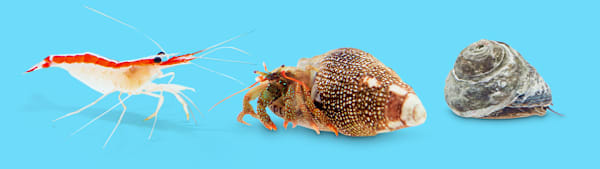
Marine Aquarium Clean Up Crew: Complete Guide
Visit Petco to learn about cleanup crews and how they can help your aquarium health.
Updated on June 19th, 2026
- Home & Habitat
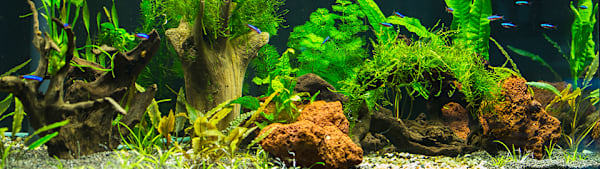
Aquarium Hardscape: The Complete Setup Guide
Discover how to hardscape your aquarium here at Petco. Visit Petco and check out aquarium hardscape ideas, solutions and much more for your fish.
Updated on July 17th, 2026
- Care Sheets
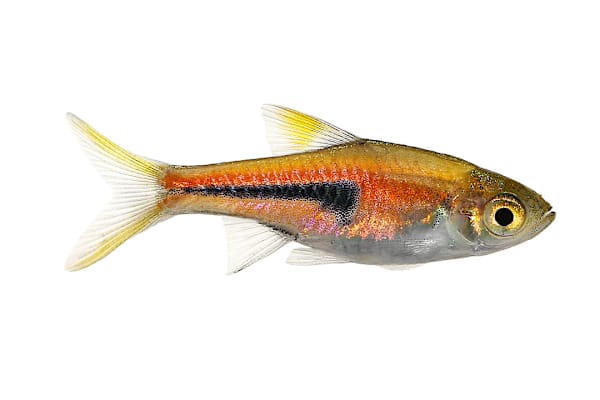
Freshwater Semi-Aggressive Fish: Top Secrets for a Thriving Tank
Learn how to care for semi-aggressive fish, recommended diet & aquarium setup. Find the right food, supplies & equipment at your neighborhood Petco.
Updated on April 9th, 2026
 Vet Q & A
What fish tank sizes are included in Petco's $1 per Gallon Sale?
##### What are the dimensions of tanks in the $1 per Gallon Sale? [Here](https://www.petcoach.co/question/?id=411222) are the answers to some of our most frequently asked questions: - What are the dimensions of my new tank? - What kind of hood will fit my new tank? - What kinds of stands will work with my new tank? - What kind of lighting is recommended for my new tank? **Aqueon10G**, **Marineland10G** - Product Dimensions: 20 x10 x12 - Compatible HOODS: Aqueon 20" Deluxe Full Hood - Compatible STANDS: the Brooklyn 10G, Aquatic Fundamentals Silver Vein Scroll 21x11 - Compatible LIGHTING: Aqueon 20" Deluxe Full Hood **Aqueon20 High**, **Marineland20 High** - Product Dimensions: 24x12 x16 - Compatible HOODS: AGA 24"BK VERSATOP GLASS - Compatible STANDS: Newport 20G - Compatible LIGHTING: Aqueon 24" fluorescent strip light or 24" LED light fixture (online only), Fluval Ultra Bright LED Aquarium Strip Light (online only) **Aqueon20 Long**, **Marineland20 Long** - Product Dimentions: 30 x12 x12 - Compatible HOODS: AGA-30"BK VERSATOP - Compatible STANDS: Brooklyn 29G, Winston 29G - Compatible LIGHTING: Aqueon 30" fluorescent strip light or 30" LED light fixture (online only) **Aqueon29G**, **Marineland29G** - Product Dimensions: 30 x12 x18 - Compatible HOODS: 30" BK versatop glass, Aqueon 20" Deluxe Full Hood - Compatible STANDS: Brooklyn 29G, Winston 29G - Compatible LIGHTING: Aqueon 30" fluorescent strip light or 30" LED light fixture (online only) **Aqueon40B**, **Marineland40B** - Product Dimensions: 36 x18x16 - Compatible HOODS: 36X18X16 BLK VRSATOP - Compatible STANDS: Aquatic Fundamentals Upright 50G 37x19 - Compatible LIGHTING: Aqueon 36" fluorescent strip light or 36" LED light fixture (online only) **Aqueon55G**, **Marineland55G** - 48x13x20 - HOODS: 2 of the 24 inch - STANDS: Brooklyn 55G - LIGHTING: Aqueon 48" fluorescent strip light or 48" LED light fixture (online only) *in-store only (We do not ship paned glass)
Updated on September 24th, 2025
 Vet Q & A
What flea, tick, heartworm meds are best for my swimming dog?
Great question! You are correct there are a lot of options out there, and there isn't a treatment that covers all of them. I will give you my opinion on the best medications for many of these things. Because Arthur spends time running in the woods, tick protection is quite important for him, so I recommend giving him NexGard. It protects against three different types of ticks as well as fleas, and because it's a chew, you don't have to worry about it washing off if he gets wet within 24 hours of giving it to him. It's safe to give along with heartworm protection, and for that I recommend giving Arthur Heartgard. It's an excellent heartworm preventative, and when I lived in the US, it's what I used on my dogs (there's no heartworm in New Zealand, so no need for me to use it now). Be sure to have him tested for heartworm first before giving him this medication. The test can be done by your vet. As for worms, I recommend Drontal. It's available by prescription only from the vet, but it kills roundworms, hookworms, whipworms, and tapeworms.
Updated on September 24th, 2025
- Vet Q & A
Best tropical fish for a 20-gallon tank? Can I donate fish to Petco?
Platys, Mollies, Neons, Dwarf Gouramis and Cory Cats are all excellent choices. Be sure to not overstock the tank and allow it to properly cycle before adding fish. You would need to contact the Petco in question and ask them directly. Some locations will accept fish to rehome if they have the tank space. Most local fish stores will not, due to risk of disease or parasite transmission.
Updated on September 24th, 2025
- Health & Wellness
Why is my fish sick, not eating, gasping, and darting in its tank?
Check water chemistry first. Use a home test kit or submit a water sample for testing. The local Petco may do this for free or for a small fee. Aim for an absence ( 0 ppm) of ammonia and nitrites with nitrates at 20 ppm or less. Perform partial water changes, no more than 30% at a time, to stabilize chemistry and/or to improve water quality. Use only conditioned water that is temperature matched to prevent stress or shock. Check water temp as well. Any of these can drive a fish to the surface. The "flashing" (darting about) can be due to infection (bacterial, fungal or parasites). Consider a broad spectrum antibiotic or an "all in one" product to treat multiple infections. Look in the Aquarium section of the local Petco for options. Follow label directions carefully and remove the carbon filter insert during treatment if indicated.
Updated on September 24th, 2025
- Vet Q & A
How do I get pet food and supplies delivered automatically by Petco?
**How does Autoship work?** ---------------------------------- - Get your everyday pet essentials delivered right to your door at the guaranteed lowest online price, you can save up to 20% off and free shipping on every qualifying order! - Autoship lets you schedule your favorite pet food and supplies for automatic delivery. No more last minute trips to the store - Autoship will ship your pet essentials right to your door. - All the products your pet needs on a regular basis are available. Choose from food, pest control, medications, vitamins, supplements and much more for all pet types. **What types of products are available?** ----------------------------------------- - **Dogs:** A variety of dry and canned dog food formulas, treats, pest control, vitamins and supplements, medications, waste pickup bags, select toys - **Cats:** A variety of dry and canned cat food formulas, treats, litter, litter box liners, litter odor control, catnip, pest control, vitamins and supplements, medications, calming aids, select toys - **Fish:** A variety of fish food, sea salt, water conditioners, vacation feeders, vitamins and supplements, medications, water tests, filter cartridges - **Small Animals:** A variety of foods, treats, bedding and litter, hay and grass, vitamins and supplements, maintenance supplies - **Reptiles & Amphibians:** A variety of prepared and live food, vitamins/supplements, medications, sand and substrate, filter media, maintenance supplies - **Birds:** A variety of foods, treats, vitamins/supplements, medications, habitat litter and liners, nesting materials, select toys **How do I set-up a Autoship?** -------------------------------------- - Browse [petco.com](http://petco.com/) for the items you want to schedule for Autoship - Enter the quantity of each item you want and click the button. - Fill out the "Set Your Schedule" form - Click the "Review Cart" button - Review your cart and proceed to Checkout to complete your subscription setup ### *Note: Items will not ship until the first shipment date you set. You will not be charged until your order ships.* **How do I add a new item to my subscription?** ----------------------------------------------- - On the product page, enter the quantity of the items you want. - Click on "Schedule Autoship" - Sign in to Your Account to add to the new item to an existing Autoship subscription or create a new subscription. - Confirm your order details, then click "Schedule" ### *Note: You must complete the Checkout process to add new items to your Autoship subscription. The items will be shipped with your next Autoship order. Some items cannot be added to a Autoship order. You will be notified of this at Checkout.* **How do I add one-time items to my Autoship?** ------------------------------------------------------ **If you are signed in:** ------------------------- - View the product page - Choose to add the product once to your upcoming order - Confirm your decision - That's it! You'll receive the product with your next order. **If you are not signed in:** - If you are not signed in, select to add the product on to your upcoming order - You will be asked to sign in - Confirm decision - That's it! You'll receive the product with your next order ### *Note: Receive free shipping on all of your repeat deliver orders. If you add a one-time item to you upcoming Autoship order, that will ship for free too! If multiple orders, you can choose which order to ship your product.* **How do I edit my Autoship schedule?** ---------------------------------------------- 1. Sign into your [petco.com](http://petco.com/) account 2. In the "Autoship" section, select the subscription you wish to modify 3. On the Update Autoship page, you can change: your shipping address, payment method, quantities, delivery frequency, next ship date; or delete your Autoship Schedule 4. Click "Update Schedule" to save any changes **How do I apply my Petco Perks Dollars to my Autoship order?** ----------------------------------------------------------------------- - For new Autoship customers: You are given the option to apply your Petco Perks Dollars when you schedule your first shipment. Simply check the box labeled "Apply all my available Petco Perks Dollars." - For existing Autoship customers: Log into your account and in the "Account Name & Delivery Options" section, check the box labeled "Apply all my available Petco Perks Dollars" then "Update Schedule" - By checking this box, whenever a scheduled Autoship order is being created for shipment, all available Petco Perks Dollars will automatically be applied in $5 increments (For example, 15 Reward Dollars applied to a $14 order will result in a $4 order charge with 5 Reward Dollars remaining for future use) You can opt-out anytime by logging into your Autoship account and deselecting the same box **How do I edit my Autoship schedule?** ---------------------------------------------- - Sign into your [petco.com](http://petco.com/) account. - In the "Autoship" section, select the subscription you wish to modify - On the Update Autoship page, you can change: your shipping address, payment method, quantities, delivery frequency, next ship date; or delete your Autoship Schedule. - Click "Update Schedule" to save any changes ### *Note: You can change any part of your Autoship subscription up to three days before your order is scheduled to ship.* **Can I apply additional promotions to my Autoship?** ------------------------------------------------------------ - Since Autoship Subscribers enjoy our lowest online everyday prices on food and great limited-time offers on supplies, most Petco promotional offers do not apply to Autoship orders. Please read each promotion's Terms and Conditions to see if the offer can be applied to your Autoship. - Free shipping is limited to items that are eligible for Autoship
Updated on September 24th, 2025