Two Easy Ways to Start Earning Rewards!
Earn 2X Pals Rewards points at Petco
when you use Petco Pay!
Get It Today
Prepare for unexpected issues with your pet by looking into the benefits of pet insurance and comparing Petco Insurance plans.
Updated on June 19th, 2026

Use Petco’s guide to shop for the perfect gift for your furry, feathered, or scaly friend!
Updated on December 19th, 2025

Give your new pet the best life! Find expert veterinary advice, products, and helpful services at your local Petco or order online.
Updated on July 16th, 2026
Petco's, Jenny Wolski, shares insights on crafting the ideal holiday gifting experience for pets. Discover how creativity, affordability, and unique touches come together in Petco's Merry Makings collection to bring festive joy to pets and their families.
Updated on June 19th, 2026
Explore Petco's top 9 picks for Mother's Day gifts this season, from cute tees to unique accessories.
Updated on September 29th, 2026

Membership Benefits: -------------------- - Petco Perks members enjoy several exclusive benefits, including earning 5% back on everything you buy at Petco or Unleashed by Petco stores and on petco.com! - Here's how it works, members earn 5 Reward Dollars for every $100 spent in one or more purchases at Petco, Unleashed by Petco stores, Pooch Hotel and on petco.com. Reward Dollars can be redeemed at any Petco, Unleashed by Petco stores, Pooch Hotel and on petco.com for more of what your pets love! How do I sign up? ----------------- - Membership is free! Simply fill out an application form the next time you visit a Petco or Unleashed by Petco store. - Or you can also sign up at [palsrewards.com](http://palsrewards.com) register now to start earning your rewards today. - If you already have a petco.com account, simply [sign in](http://www.petco.com/petco_Page_PC_palsrewardshome.aspx) and when prompted select "I don't have a Pals membership yet". Getting Credit For Your Purchases: ---------------------------------- - To make sure your purchases are credited to your Petco Perks account, always provide your Petco Perks number or phone number at the register at Checkout. - When purchasing online at petco.com only secure checkouts with a registered account are eligible to earn towards Petco Perks Dollars certificates. If you already have a Petco Perks membership, simply create an accountat petco.com and when prompted select "Link my existing Petco Perks membership - All your eligible purchases will be tracked to your member account. You can check your balance anytime by signing into your account at palsrewards.com or petco.com. Once you have spent $100, Petco will automatically email you 5 Petco Perks Dollars. - If you don't know your Petco Perks membership number, look for it on your receipt Petco Perks Dollars: -------------------- - Petco Perks Dollars are sent via email after you make a purchase for you to use on a later visit and can also be claimed anytime from your account at palsrewards.com. They cannot be used on same-day purchases. How can I redeem my rewards on my next purchase? ------------------------------------------------ You can load Petco Perks Dollars to your card to be automatically applied to your next in-store purchase in one of three ways: 1. Directly from your notification email. 2. Directly from your palsrewards.com account. 3. By calling Customer Service at (877) 738-6742. Reward Dollars can also be applied to petco.com orders during Step 3 of the checkout process. They can be applied to Autoship orders by editing your subscriptions or during order setup. Once loaded, rewards are available within 5 seconds for in-store redemption. Alternatively, you can also print your rewards and bring in-store for use. Can I redeem my Petco Perks Dollars on anything? ------------------------------------------------ - Petco Perks Dollars can be redeemed on anything sold at any Petco or Unleashed by Petco store location or at petco.com. This includes grooming and other services, and shall only be applied on purchases equal to or greater than $5; cannot be redeemed in full or in part for cash or gift certificates. Can I get a replacement card? ----------------------------- - [Sign in](http://www.petco.com/petco_Page_PC_palsrewardshome.aspx) to your account to print your Petco Perks card. Or simply use your phone number during your next Petco store visit to access your account. How do I get credit for my purchase? ------------------------------------ - Always provide your Petco Perks number or phone number at the register during checkout. **How will Petco know when I have spent $100?** ----------------------------------------------- - All your eligible purchases will be tracked to your member account. You can check your balance by logging into your account at palsrewards.com or petco.com. Once you have spent $100, Petco will automatically email you 5 Petco Perks Dollars. What if I spend $200 at once? ----------------------------- - You will receive two (2) 5 Petco Perks Dollars certificates via email. If I spent $100 today, can I use my Petco Perks Dollars on my current purchase? -------------------------------------------------------------------------------- - Petco Perks Dollars are sent via email after you make a purchase, for you to use on a later visit. They can't be used on same-day purchases. When do Reward Dollars expire? ------------------------------ - Reward Dollars are valid for 45 days from issuance date. You will receive an email notification within five business days of earning and rewards are always available in your online account at Palsrewards.com - As long as you make one purchase every 180 days (6 months), your balance toward your next reward will never expire. - If an account is inactive for a consecutive 180 day period, it will be reset to zero (0). - Inactive is defined as not having any qualifying transactions posted to the Petco Perks member number associated with the account. Is there a way to look up old receipts using my Petco Perks number? -------------------------------------------------------------------- - You can look up your previous purchases under your online account by logging in and selecting your transaction history. How can I update Petco Perks customer information? --------------------------------------------------- - Fill out an updated contact form in-store. - [Sign in](http://www.petco.com/petco_Page_PC_palsrewardshome.aspx) to your Petco Perks online profile at Palsrewards.com. Once signed in, you can also update your profile including providing an email address, so you can receive future Reward Dollars via email and use them immediately. - You can also update your information by calling the Customer Relations team for assistance at 888-824-PALS (7257). Will you give my email address to anyone else? ---------------------------------------------- - No, your email will only be used by Petco. We will not sell, rent or trade your email address. What if existing Pals members don't have an email address? ----------------------------------------------------------- - Petco Perks is email based, so without an email we cannot actively notify you when you have rewards waiting. If you choose not to provide an email, you can can still check your account balance or access your earned rewards by logging in to your account on Palsrewards.com. ### Click here for the programs [terms and conditions](http://www.petco.com/Content/PALSRewardsTermsandConditions.aspx). If you have additional questions please ask your question here or contact our Customer Relations at 888-824-PALS (7257)
Updated on September 24th, 2025

Charlie is so cute! Congratulations! I always recommend looking into pet insurance. We do not have pet insurance but here are a few different companies that provide good insurance for your pet. I would call and get quotes from them and see what they cover. I would look at: Petplan: https://www.gopetplan.com Trupanion: https://trupanion.com/ppc/best-care3?gclid=Cj0KCQiAl8rQBRDrARIsAEW_To9J9FgDp4EL0J01sFWNjI8Qm67dr7ADIYKepw311YUFv5MPhMdRm2waAq6AEALw_wcB ASPCA: https://www.aspcapetinsurance.com/ppc-17/confident?prioritycode=PPC_Brand&gclid=Cj0KCQiAl8rQBRDrARIsAEW_To-bMdYW5ztIL66GftIE-c0gaOLFG3xkvr8ezEFF76FLehYK8VBqiCUaApiHEALw_wcB#/start Figo: https://figopetinsurance.com/?&gclid=Cj0KCQiAl8rQBRDrARIsAEW_To9S9Q2Esru6qbt3iNGDIJy-CPe8qDedVasCoG_bCBidClnU7ER2f7QaApukEALw_wcB Nationwide: https://www.petinsurance.com/ppc-dog.aspx?src=GoogleSearch&OM=CI0418&gclid=Cj0KCQiAl8rQBRDrARIsAEW_To9M0lSK4SC-sL_Ep_fX4tg3gIqXWBYUvksJUDWph2_olYZ572AP0SoaAnlgEALw_wcB Thank you for using PetCoach!
Updated on September 24th, 2025

**How does Autoship work?** ---------------------------------- - Get your everyday pet essentials delivered right to your door at the guaranteed lowest online price, you can save up to 20% off and free shipping on every qualifying order! - Autoship lets you schedule your favorite pet food and supplies for automatic delivery. No more last minute trips to the store - Autoship will ship your pet essentials right to your door. - All the products your pet needs on a regular basis are available. Choose from food, pest control, medications, vitamins, supplements and much more for all pet types. **What types of products are available?** ----------------------------------------- - **Dogs:** A variety of dry and canned dog food formulas, treats, pest control, vitamins and supplements, medications, waste pickup bags, select toys - **Cats:** A variety of dry and canned cat food formulas, treats, litter, litter box liners, litter odor control, catnip, pest control, vitamins and supplements, medications, calming aids, select toys - **Fish:** A variety of fish food, sea salt, water conditioners, vacation feeders, vitamins and supplements, medications, water tests, filter cartridges - **Small Animals:** A variety of foods, treats, bedding and litter, hay and grass, vitamins and supplements, maintenance supplies - **Reptiles & Amphibians:** A variety of prepared and live food, vitamins/supplements, medications, sand and substrate, filter media, maintenance supplies - **Birds:** A variety of foods, treats, vitamins/supplements, medications, habitat litter and liners, nesting materials, select toys **How do I set-up a Autoship?** -------------------------------------- - Browse [petco.com](http://petco.com/) for the items you want to schedule for Autoship - Enter the quantity of each item you want and click the button. - Fill out the "Set Your Schedule" form - Click the "Review Cart" button - Review your cart and proceed to Checkout to complete your subscription setup ### *Note: Items will not ship until the first shipment date you set. You will not be charged until your order ships.* **How do I add a new item to my subscription?** ----------------------------------------------- - On the product page, enter the quantity of the items you want. - Click on "Schedule Autoship" - Sign in to Your Account to add to the new item to an existing Autoship subscription or create a new subscription. - Confirm your order details, then click "Schedule" ### *Note: You must complete the Checkout process to add new items to your Autoship subscription. The items will be shipped with your next Autoship order. Some items cannot be added to a Autoship order. You will be notified of this at Checkout.* **How do I add one-time items to my Autoship?** ------------------------------------------------------ **If you are signed in:** ------------------------- - View the product page - Choose to add the product once to your upcoming order - Confirm your decision - That's it! You'll receive the product with your next order. **If you are not signed in:** - If you are not signed in, select to add the product on to your upcoming order - You will be asked to sign in - Confirm decision - That's it! You'll receive the product with your next order ### *Note: Receive free shipping on all of your repeat deliver orders. If you add a one-time item to you upcoming Autoship order, that will ship for free too! If multiple orders, you can choose which order to ship your product.* **How do I edit my Autoship schedule?** ---------------------------------------------- 1. Sign into your [petco.com](http://petco.com/) account 2. In the "Autoship" section, select the subscription you wish to modify 3. On the Update Autoship page, you can change: your shipping address, payment method, quantities, delivery frequency, next ship date; or delete your Autoship Schedule 4. Click "Update Schedule" to save any changes **How do I apply my Petco Perks Dollars to my Autoship order?** ----------------------------------------------------------------------- - For new Autoship customers: You are given the option to apply your Petco Perks Dollars when you schedule your first shipment. Simply check the box labeled "Apply all my available Petco Perks Dollars." - For existing Autoship customers: Log into your account and in the "Account Name & Delivery Options" section, check the box labeled "Apply all my available Petco Perks Dollars" then "Update Schedule" - By checking this box, whenever a scheduled Autoship order is being created for shipment, all available Petco Perks Dollars will automatically be applied in $5 increments (For example, 15 Reward Dollars applied to a $14 order will result in a $4 order charge with 5 Reward Dollars remaining for future use) You can opt-out anytime by logging into your Autoship account and deselecting the same box **How do I edit my Autoship schedule?** ---------------------------------------------- - Sign into your [petco.com](http://petco.com/) account. - In the "Autoship" section, select the subscription you wish to modify - On the Update Autoship page, you can change: your shipping address, payment method, quantities, delivery frequency, next ship date; or delete your Autoship Schedule. - Click "Update Schedule" to save any changes ### *Note: You can change any part of your Autoship subscription up to three days before your order is scheduled to ship.* **Can I apply additional promotions to my Autoship?** ------------------------------------------------------------ - Since Autoship Subscribers enjoy our lowest online everyday prices on food and great limited-time offers on supplies, most Petco promotional offers do not apply to Autoship orders. Please read each promotion's Terms and Conditions to see if the offer can be applied to your Autoship. - Free shipping is limited to items that are eligible for Autoship
Updated on September 24th, 2025

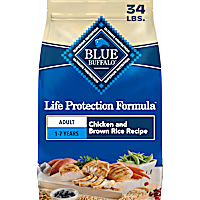
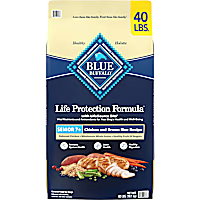
Hi, thanks for using Petco Pet Education Center, formerly Petcoach! There have been a lot of issues with Blue Buffalo but most of what you read online is from upset pet owners who’s pets got sick or died and they want to blame a product or food. Sadly they do this with out evidence to back it up. If Patches is doing well it’s up to you if you want to change it. Blue Buffalo isn’t a brand I recommend. I recommend Hill’s, Royal Canin and Purina because they have veterinary nutritionists on staff. Have a good day!
Updated on September 24th, 2025

Thanks for using Petco Pet Education Center! I personally like the Purina Pro Plan diets as well as the Hill's Science Diet foods as I think they are both palatable and highly nutritious. In terms of treats, I think the milk bones products are both nutritious, palatable and reasonably priced. Good luck and best wishes!
Updated on September 24th, 2025